
One Spotify button for a house of mismatched speakers
I wanted every speaker in the house in sync from Spotify, but they come from three different ecosystems.
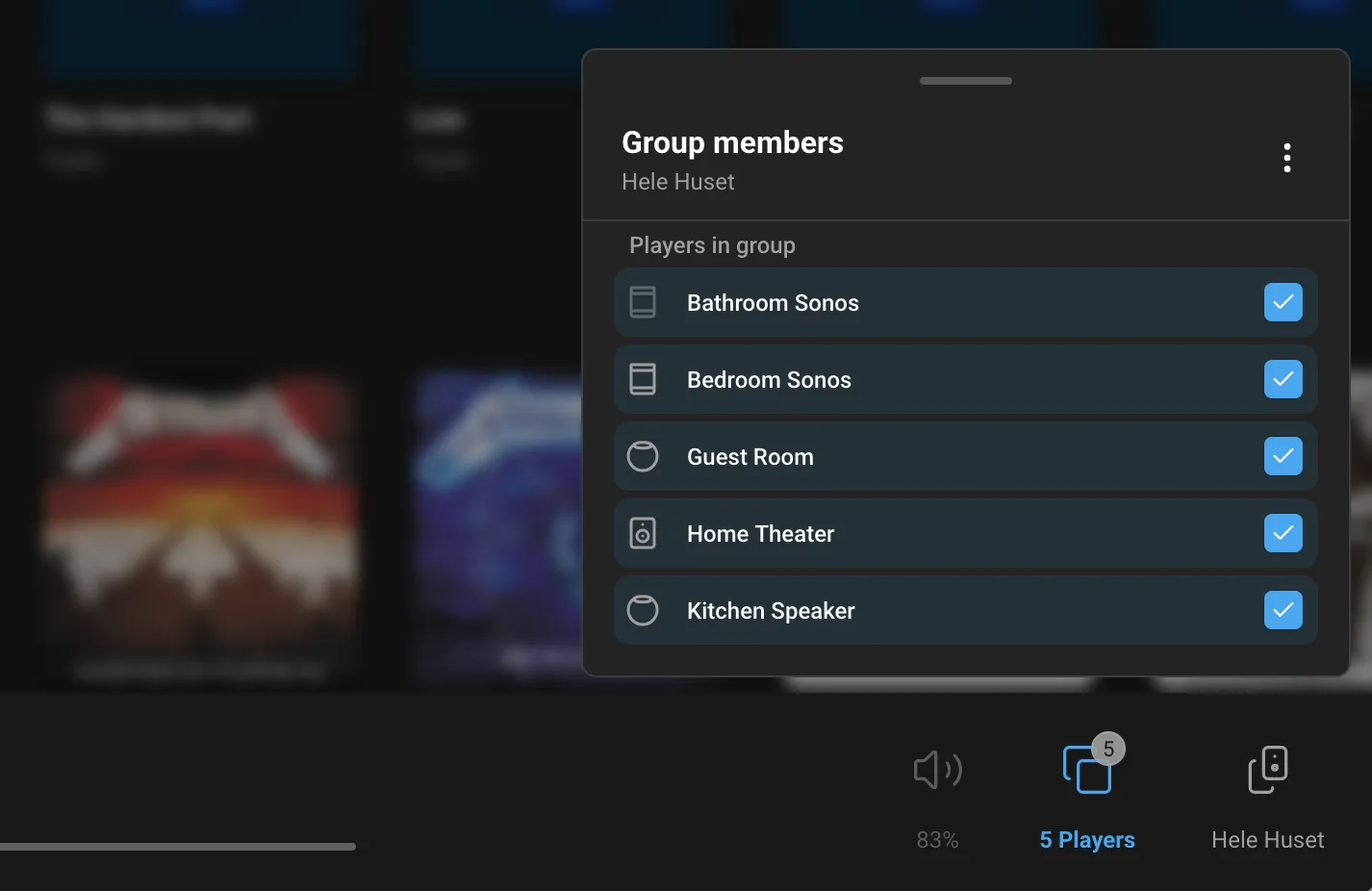
I press play in Spotify, and HomePods, Sonos speakers, and a home theater receiver play in sync. The trick is that they all speak AirPlay 2, so in a group they all get the same stream the same way. Getting there took two tries, and it still breaks now and then.
OwnTone first
We started with a mix of AirPlay, Chromecast, and Sonos speakers. We could have gone all in on Sonos, but bringing the home theater receiver into it meant buying a very expensive bridge. So I looked for software that would work with the hardware I already owned, and set up OwnTone with librespot-java, and in January I wrote down a verdict: stay, because I needed to group speakers across ecosystems.
It didn’t hold up. Our Chromecast speakers drifted out of sync after 30 to 60 minutes. And no software keeps AirPlay, Chromecast, and Sonos in sync with each other, because each keeps time its own way. Marcel van der Veldt, who created Music Assistant, put it plainly: “Not going to work ever.”
The premise changed
In April we started replacing the Chromecast speakers with HomePod minis. We picked them on purpose: they were cheap used on FINN, they sound excellent for their size, and they speak AirPlay 2 like everything else in the house. No room mixed ecosystems any more, and the January verdict no longer applied. In May I moved to Music Assistant and retired OwnTone the same day. The last two Chromecasts went a week later.
Music Assistant talks to each speaker in its own protocol when it plays alone. In the whole-house group, it streams to the Sonos speakers over AirPlay too. One protocol, one clock, and the group stays in sync.
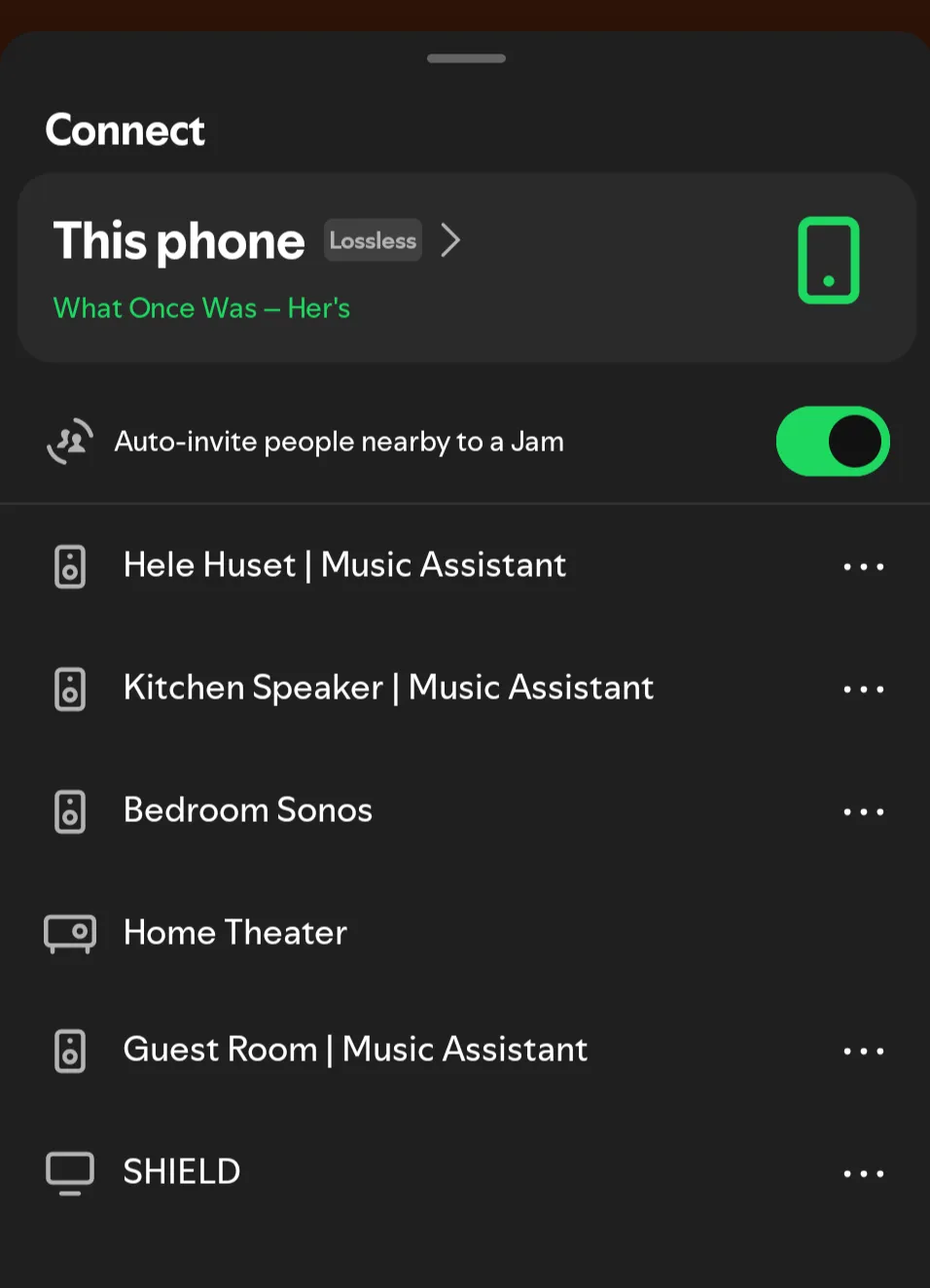
Its Spotify Connect plugin puts three devices in the Spotify app on any phone or computer: the whole house, the kitchen, and the guest room.
It runs in one container on a Raspberry Pi, with Home Assistant beside it.
Spotify needs Premium for this, and its terms apply.
Sonos volume, the hard way
The group’s volume sliders barely moved the Sonos speakers. The obvious workaround was Home Assistant’s Sonos integration, which talks to the speakers directly. I tested that direct route with a raw volume command to one Sonos, and it explained the problem: while a Sonos plays an AirPlay stream, it queues direct volume commands and applies them about every 35 seconds, one step at a time. One command took 36.6 seconds to land. The same change sent through the AirPlay stream took under 30 milliseconds.
The fix runs the other way. The bug is reported upstream, and until a fix lands there, I run a small manual patch that sends Sonos volume through the AirPlay stream instead. The sliders now respond instantly.
What I’d tell someone with mixed speakers
Find the one protocol every speaker shares and group over that.
Where it ended up
Mitigated. One button plays every speaker in sync, and the Sonos volume fix lasts only until the next update.